03-03-2026
Docker runtime stack
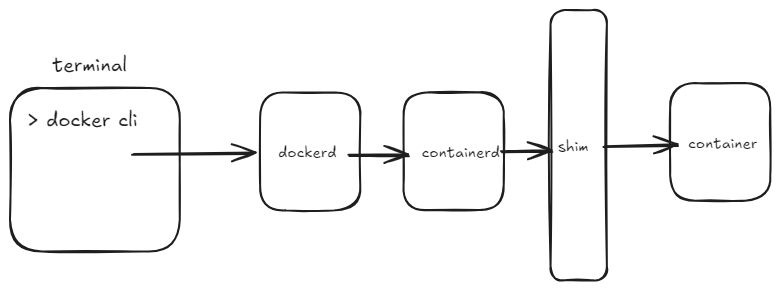
1- docker cli
translate commands to rest api and send it over unix socket
docker run ngnix ===> POST /container/create {"Image":"nginx:latest", ....}

===> sent to: /var/run/docker.sock
so we can talk to dockerd with it
like
curl --unix-socket /var/run/docker.sock http://localhost/containers/json
2- dockerd
it’s an orchestrator
manage images (pull, build)
manage volume (create net, mount)
manage network (bridge creation, port mapping)
docker run delegated to containerd not here !!
so dockerd when recieved “run nginx:latest”
it does:
check if the image exist locally
set up networking (ng_net bridge)
set up volumes (my_data)
tell containerd “start the container with these spec”
3- containerd
…
4- shim
…
5- container
…
The Important of caching in docker
if we run a simple docker file like this
# Use official nginx image as base

FROM nginx:latest


# Remove default nginx static files

RUN rm -rf /usr/share/nginx/html/*


# Copy your own HTML file into the container

COPY index.html /usr/share/nginx/html/


# Expose port 80

EXPOSE 80


# Start nginx

CMD ["nginx", "-g", "daemon off;"]
and we build the image : docker build -t my-nginx .
every this is good
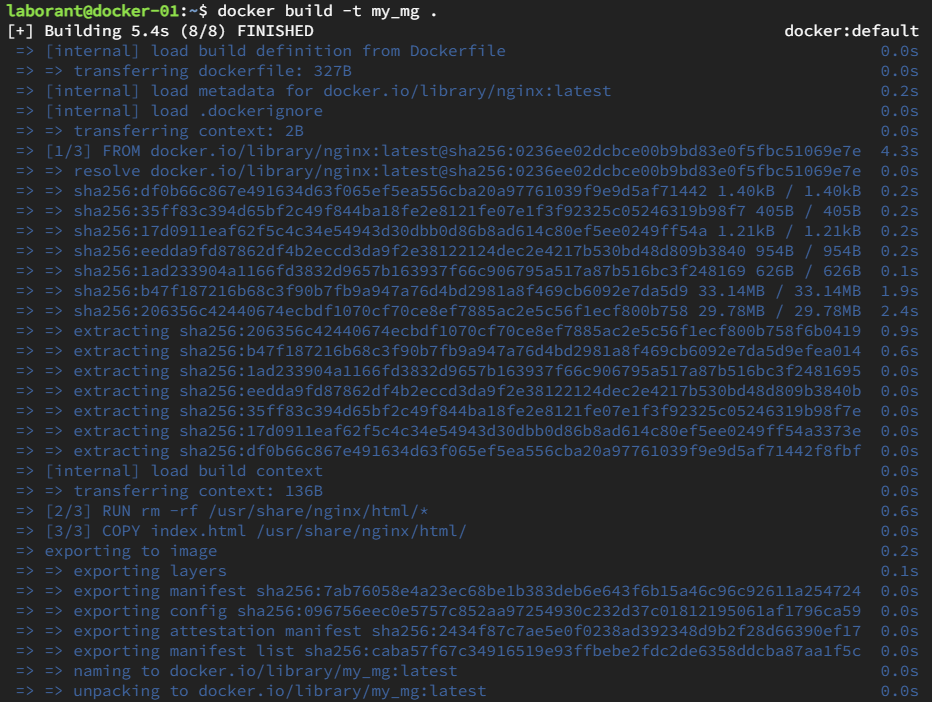
now in the second stage (layer) we make a change
we added and echo
FROM nginx:latest


RUN echo "Build step 1"


RUN rm -rf /usr/share/nginx/html/*


COPY index.html /usr/share/nginx/html/


EXPOSE 80


CMD ["nginx", "-g", "daemon off;"]
and we re run
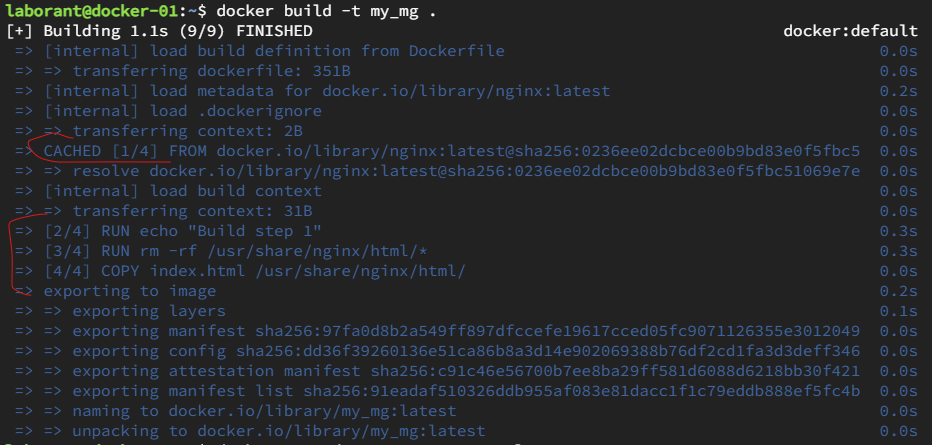
we can see that all stages rebuilded from the echo stage
so all above are rebuilded
first stage is cached
Docker Volume: create vs mount
when we create a volume in docker : docker volume create my_data
this will create a directory /var/lib/docker/volumes/my_data/ *_data/ in the host file system
and we mount it when a container is up
for example in a compose.yaml
volumes:

- my_data:/var/lib/mysql
dockerd bind-mount
/var/lib/docker/volumes/my_data/ *_data/ ==> /var/lib/mysql