3 minutes
Crafting My Own Storage Engine-Part 01: Java I/O Fundamentals
The “Page” Abstraction
so the ByteBuffer acts like a staging area where we serialize our Java objects (the Page object) into raw bytes and keep them in RAM using methods like putInt
and after that, we need to persist the data to disk — meaning we write those bytes into a file so the data survives after the program stops
so we have one large file, and since all pages have a fixed size, if we want to write the data for pageId = 14, we simply compute the offset 4096 * 14 and write the buffer at that position using the write method
to imp concept of fixed-size-pages let’s create a Page class
public class Page {
    int ID;
    int[] arr = new int[1023]; // 1KB

    public Page(int ID, int[] arr){
        this.ID = ID;
        this.arr = arr;
    }
}
and another class PageManger that handled the reading and the writhing
import java.io.FileNotFoundException;
import java.io.IOException;
import java.io.RandomAccessFile;
import java.nio.Buffer;
import java.nio.ByteBuffer;

public class PageManager {

    final int PAGE_SIZE = 4096; // 4KB

    RandomAccessFile file = new RandomAccessFile("database.db", "rw");

    public PageManager() throws FileNotFoundException {}

    // RAM to disk
    // serialization
    public void writePage(Page page) throws IOException {
        long offset = (long)page.ID * PAGE_SIZE;

        // step1: create a buffer of the page size
        ByteBuffer buffer = ByteBuffer.allocate(PAGE_SIZE);
        // step2: put the data in
        buffer.putInt(page.ID);
        for (int val : page.arr){
            buffer.putInt(val); // pack the integers one by one
        }
        file.seek(offset);
        file.write(buffer.array());
    }

    // disk to RAM
    // deserialization
    public Page readPage(int pageId) throws IOException {
        long offset = (long)pageId * PAGE_SIZE;
        file.seek(offset);

        // the physical container
        byte[] arr = new byte[PAGE_SIZE];
        file.read(arr);

        ByteBuffer buffer = ByteBuffer.wrap(arr);// don't allocate a new memory, use this existing one as source

        // get the header : id
        int ID = buffer.getInt();

        int[] pageArr = new int[1023]; // 1023 to leave room for the id header
        for (int i = 0; i < pageArr.length; i++){
            pageArr[i] = buffer.getInt();
        }

        Page page = new Page(ID, pageArr);
        return page;

    }
}
you’ll be wondering if you see in the writePage method why our empty array that sized with 1023 not 1024, will we did it to avoid the BufferUnderFlowException
cuz a page has a header and a payload,
we read the ID header -> int -> 4 bytes
and if our we read the pageArr 1024 int -> 4094
so we get 4(ID) + 4096(pageArr) = 4100 !!!
for that $1023 \times 4 = 4092$ bytes
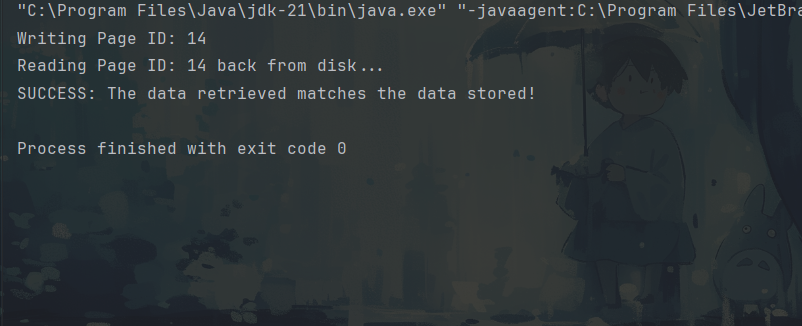
now let’s test our storage engine :)
import java.io.IOException;
import java.util.Arrays;

public class Main {
    public static void main(String[] args) {
        try {
            PageManager pm = new PageManager();

            // 1. Create a sample page
            // We use 1023 to respect the 4KB budget (1023 * 4 + 4 = 4096)
            int[] data = new int[1023];
            data[0] = 777;           // Landmark 1: Start
            data[512] = 12345;       // Landmark 2: Middle
            data[1022] = 999;        // Landmark 3: End

            Page originalPage = new Page(14, data);

            // 2. Test Write
            System.out.println("Writing Page ID: " + originalPage.ID);
            pm.writePage(originalPage);

            // 3. Test Read
            System.out.println("Reading Page ID: 14 back from disk...");
            Page fetchedPage = pm.readPage(14);

            // 4. Verification Logic
            if (fetchedPage.ID == originalPage.ID &&
                    fetchedPage.arr[0] == 777 &&
                    fetchedPage.arr[1022] == 999) {
                System.out.println("SUCCESS: The data retrieved matches the data stored!");
            } else {
                System.out.println("FAILURE: Data corruption or mismatch detected.");
            }

        } catch (IOException e) {
            System.err.println("Database Error: " + e.getMessage());
            e.printStackTrace();
        }
    }
}
check the github repo for any suggestion or information GitHub